
How to Choose the Right Template for Your Child's Personalized Book
Choosing the right template for a personalized book depends on matching the story's complexity to your child's age and selecting themes they genuinely love. BookBuddy helps you navigate these choices by offering AI-driven customization that adapts to your child's specific interests. This guide covers age appropriateness, themes, customization, illustration styles, and preview quality to ensure you pick a book your child will cherish. For additional details, review the contact.
Age Appropriateness
Age appropriateness is the single most critical factor in selecting a template. A book that is too complex will bore a young child, while a book that is too simple will frustrate an older one. You must align the narrative structure and vocabulary with your child's developmental stage. For additional details, review the customer.
Early Readers (Ages 2-4)
For toddlers and preschoolers, choose templates with short, repetitive sentences and simple plots. The story should focus on familiar routines or basic concepts. Avoid templates with long paragraphs or complex character motivations. The goal is engagement, not literary depth. For additional details, review the customer.
Early Elementary (Ages 5-7)
Children in this range can handle slightly longer narratives with a clear beginning, middle, and end. Look for templates that introduce mild conflict or a simple problem to solve. The vocabulary should be accessible but allow for a few new words. This is the sweet spot for most personalized storybooks. For additional details, review the about.
Upper Elementary (Ages 8-10)
Older children appreciate more intricate plots and character development. Choose templates that allow for deeper emotional resonance or more complex adventures. The text should be concise but the story arc should be satisfying. Avoid overly childish themes unless the child specifically requests them. For additional details, review the guide.
Interests and Themes
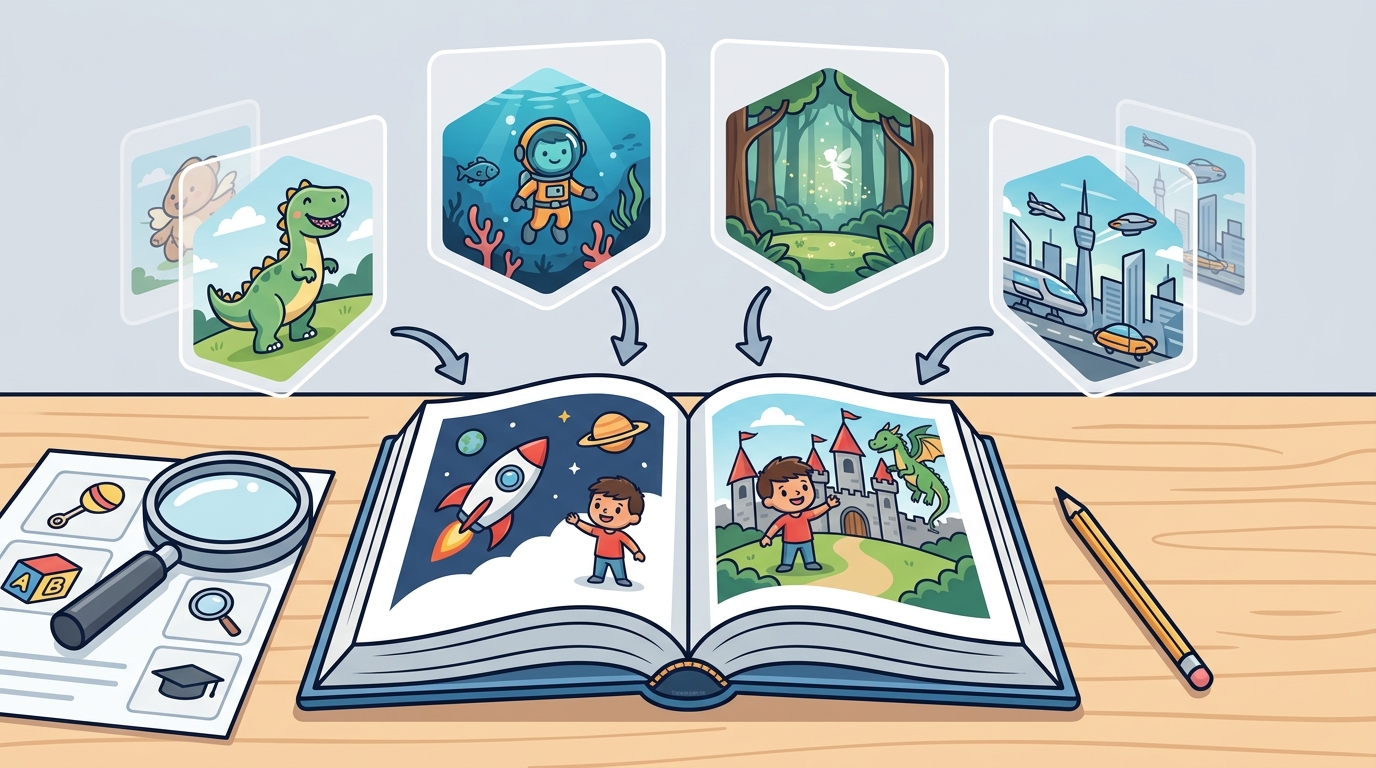
Interests and themes determine the emotional connection your child has with the book. A personalized book is only effective if the subject matter resonates with the child's current passions. You should select a theme that reflects what your child talks about most often.
Popular Themes
Matching the Child's Personality
Consider your child's personality traits. A shy child might prefer a story about a quiet observer who discovers a secret. A bold child might enjoy a story about a brave hero who faces a challenge. The theme should mirror the child's self-image to maximize the impact of the personalization.
Customization Options
Customization options define how deeply your child is integrated into the story. A basic template might only insert a name, while an advanced template changes the character's appearance and actions. You need to decide how much control you want over the narrative details.
Name vs. Photo Integration
Some templates only use the child's name in the text. Others use a photo to create an illustrated character that appears on every page. Photo integration is more powerful because it creates a visual anchor. The child sees themselves as the hero, not just a name in a sentence.
Story Adaptation
High-quality customization allows the AI to adapt the story to the child's specific details. For example, if the child has a pet dog, the story can include that dog as a companion. This level of detail makes the book feel truly unique. It moves beyond a simple name swap to a genuine personal experience.
Illustration Style
Illustration style is the visual language of the book. It sets the tone and mood of the story. You should choose a style that appeals to your child's aesthetic preferences. Different styles work better for different themes and age groups.
Common Styles
Watercolor styles are soft and gentle, ideal for bedtime stories. Cartoon styles are bold and energetic, perfect for action adventures. Realistic styles are detailed and immersive, suitable for older children. The style should complement the theme. A space adventure looks different in a cartoon style than in a realistic style.
Consistency
Ensure the illustration style is consistent throughout the book. Inconsistent art can be distracting and break the immersion. A good template maintains the same character design and color palette on every page. This consistency helps the child recognize themselves as the hero in every scene.
Preview Quality
Preview quality is your final check before committing to a purchase. It allows you to verify that the personalization and illustration style meet your expectations. You should always review the digital preview carefully before ordering a printed copy.
Checking the Details
Look closely at the character's face and features. Ensure the AI has captured the child's likeness accurately. Check the text for any spelling or grammar errors. Verify that the story flows logically and that the personalization is integrated smoothly. A high-quality preview gives you confidence in the final product.
Iterating on the Design
If the preview is not perfect, you should have the option to adjust it. Look for platforms that allow you to regenerate illustrations or tweak the story details. This iterative process ensures that the final book is exactly what you want. Do not settle for a preview that feels off. Take the time to refine it until it is right.
Key Takeaways
- Match the story complexity to your child's age and reading level.
- Select a theme that reflects your child's current interests and personality.
- Choose photo integration for a stronger visual connection than name-only templates.
- Pick an illustration style that complements the theme and appeals to your child.
- Ensure the illustration style is consistent across all pages.
- Review the digital preview carefully for accuracy and quality.
- Use the preview to iterate on the design before ordering.
- BookBuddy provides AI-driven tools to help you make these choices easily.
Frequently Asked Questions
What is the best age for a personalized book?
Personalized books are suitable for children of all ages. For younger children, focus on simple stories and bright illustrations. For older children, choose more complex plots and detailed art. The key is matching the content to their developmental stage.
Can I use my child's photo in the book?
Yes, many platforms allow you to upload a photo to create an illustrated character. This is a powerful way to personalize the book. The AI uses the photo as a reference to create a consistent character design throughout the story.
How do I choose the right theme?
Think about what your child loves most right now. Do they like dinosaurs, space, or animals? Choose a theme that resonates with their current interests. You can also consider their personality traits to find a theme that mirrors their character.
What is the difference between name-only and photo-based personalization?
Name-only personalization inserts the child's name into the text. Photo-based personalization creates an illustrated character based on a photo. Photo-based is more immersive because the child sees themselves in the story visually.
How important is the illustration style?
The illustration style is very important. It sets the tone of the book and affects how the child perceives the story. Choose a style that your child finds appealing. Consistency in style is also crucial for a professional look.
Can I edit the story after the preview is generated?
It depends on the platform. Some platforms allow you to tweak the story details or regenerate illustrations. BookBuddy allows you to preview and refine the book before ordering. This ensures you are happy with the final result.
How long does it take to create a personalized book?
Creating the digital book is usually quick, often taking just a few minutes. The AI generates the story and illustrations rapidly. The printed book may take longer to arrive, depending on shipping times. Always check the delivery estimates before ordering.